

Documentation
Server and Member Statistics
What Asbern counts from the day it joins — messages, voice, joins and leaves — and how members and admins read it in Discord.
Asbern counts your server's activity from the day it joins and keeps all of it. Every member can read their own numbers in Discord, and the whole server's from the same screen.
 Abyssused/menu
 Abyss
Good to see you — Staff Sergeant · Level 24
▱▱▱▱▱▱▱▱▱▱▱▱▱▱ 4 / 349 XP
 $12.9K ·
 $6.62/hr
 My Stats
Recorded since September 2026 · 1 day of history
Activity · 10.0h voice · 40 msgs — #1 of 1 for voice
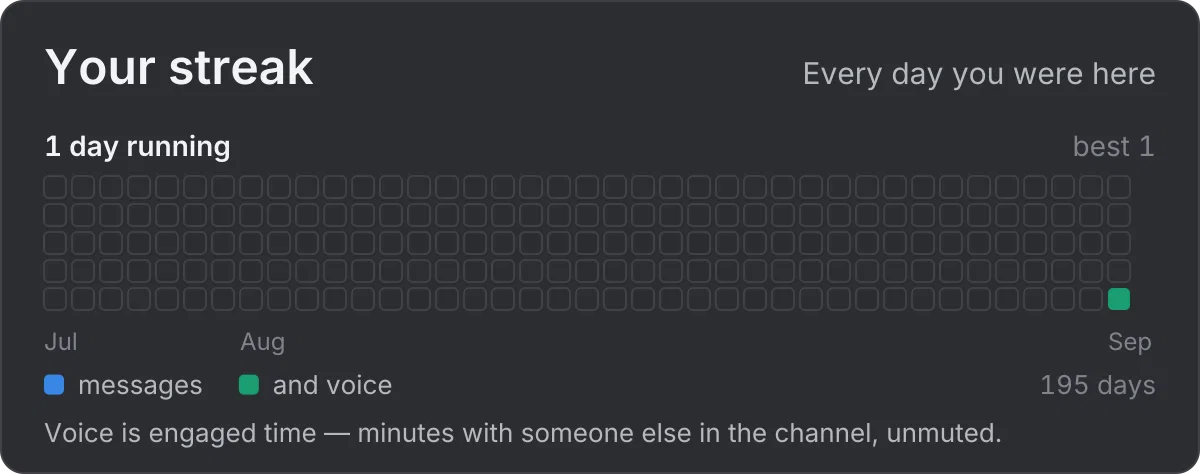
 1-day streak · 1 active day
 Rhythm · busiest around 7pm — Tuesday is your biggest day
your hours, your week, and when the server is busy
 Circle · no shared voice time yet
Channel history is collected from when the bot started writing it
 Server · 1 member active this month
Leaderboards, channels, and how this month compares
Asbern v0.9.16 · Docs
My Stats
What Is Counted
- Messages — per member, per channel, per day and per hour.
- Voice — both connected minutes and engaged minutes. Engaged means somebody else is in the channel, you are unmuted and you are not AFK. Sitting alone farms nothing.
- Joins, leaves and member counts, so growth and retention are real numbers.
- Watch time, where the server has linked its own Plex.
- Online status and games — see below.
Bots never rank.
For Members
/menu › Community › Stats opens on your own numbers: your run of days, your voice hours and messages, the channels you use, and who you spend the most voice time with. General carries the same Stats door. Its rows open Trend (how it moves), Rhythm (when you are here) and Circle (who and where).
The Server row swaps to the whole server. Pick Day, Week, Month, Year or All Time, and one of four views: Activity, Leaderboard, Compare (this period against the last) and Channels. The member picker narrows the board to the people you choose, or puts a few of them head to head.
Online Status and Games
The bot also records, every hour, how many members are online, idle or on do not disturb, and how long members spend in each game Discord shows them playing. These started later than the rest of the archive, so every chart of them says when counting began — "measured since" a date — instead of drawing the months before as zero. These two come from Discord's Presence information, which the bot always asks for. If Discord ever refuses it to the bot, both pause until it is back, and the charts say so rather than drawing zeros.
Numbers That Say What They Are
- Voice can mean two things. StatBot measured time connected; Asbern measures both. Where the two differ, the card shows both instead of pretending they are one number.
- A gap is named. Where history is missing for part of a window, the card says which days, instead of printing a reassuring line over a hole.
- Nobody can edit them. No admin, no server owner and no member can change these numbers.
- You can leave yourself out. Stop counting my activity, under /menu › Profile › Settings, stops this server counting you from then on. Press it again to come back.
What it Costs
Nothing. Asbern is free: every feature on this page is included in every server, and no card is needed.
Related
- The Web Dashboard — the same numbers on this website, server by server.
- Member and Channel Reports — the admin's reports on members and channels.
- Live Counter Channels — live numbers pinned to your channel list.
- Import Your StatBot History — bring in what StatBot counted before.
- Statistics — every statistics page in one place.
Emoji graphics are Twemoji, used under CC-BY 4.0 — licence and attribution.